Upload n8n binary data and get a public URL
To upload an n8n binary file and get a URL, use an HTTP Request node with Form-Data, Parameter Type `n8n Binary File`, Name `file`, and Input Data Field Name `data` or `file`, then map the returned `url` to the next node.
- Reviewed by
- GetFileURL technical team
- Updated
- Input
- n8n binary property
- Action
- HTTP Request node uploads multipart file
- Output
- Direct URL for OCR, AI, or webhook
- Parameter Type
- n8n Binary File
- Name
- file
- Input Data Field Name
- `data` or `file`
- Blueprint
- /examples/n8n-binary-file-to-getfileurl.json
What this page answers
It turns n8n binary data into a public URL by uploading binary.data or binary.file with Parameter Type n8n Binary File, Name file, and mapping the returned url into the next node.
- Reviewed by
- GetFileURL technical team
- Last updated
The file handoff as a system, not a share link
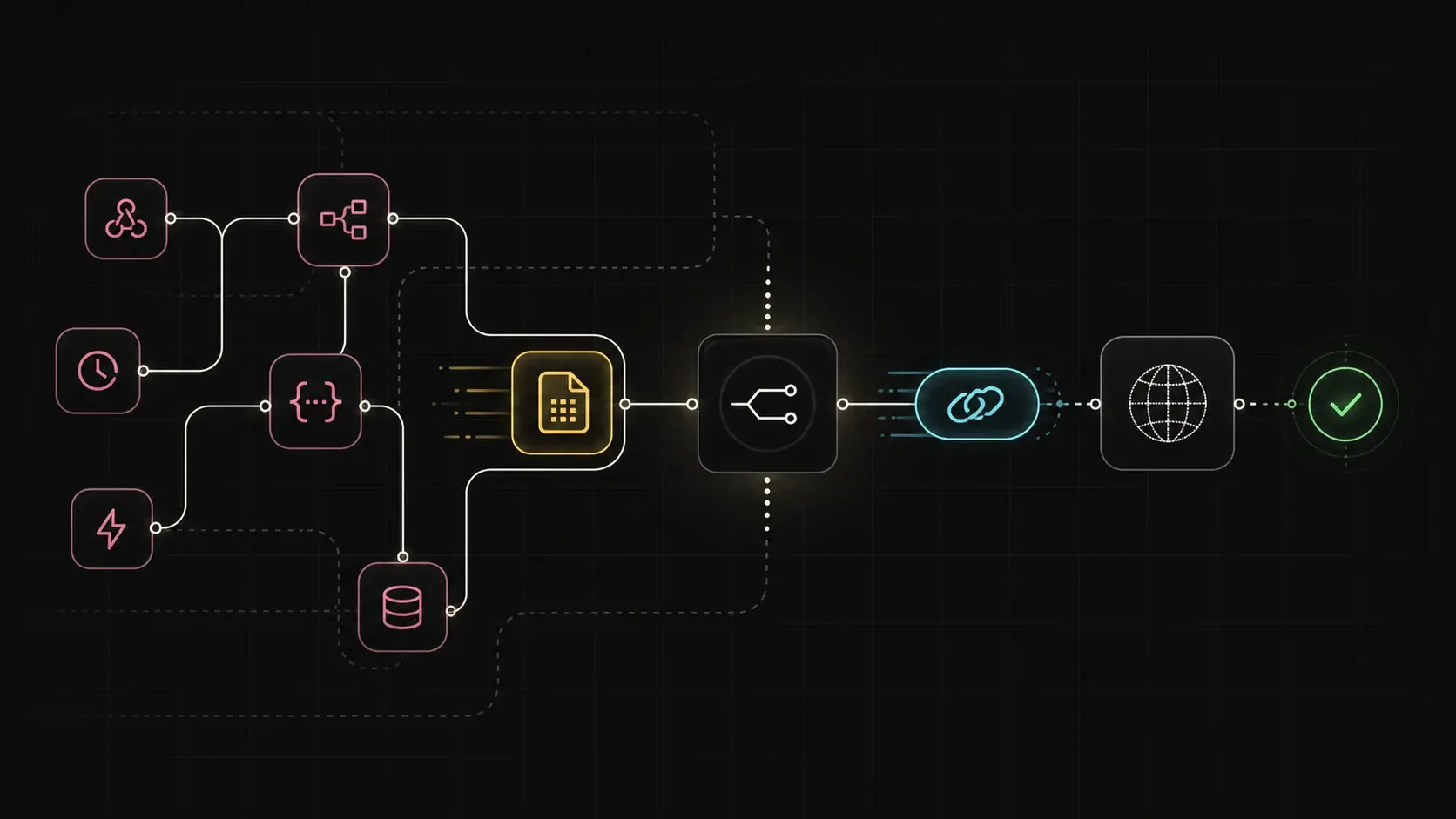
The recipe keeps the n8n binary property, HTTP Request upload, returned URL, expiry, and cleanup handle visible as one handoff.
Make the file handoff visible.
A useful n8n recipe shows the binary property, the HTTP Request node setup, the returned JSON, and the cleanup handle.
Capture the file
Start from the n8n node that already has the file in `binary.data` or `binary.file`, such as an email attachment, Drive download, form upload, or generated PDF.
Upload and parse JSON
In the HTTP Request node, use `POST https://api.getfileurl.com/v1/files`, bearer auth, multipart form data, field name `file`, and response format JSON.
Send onward
Map `{{$json.url}}` to the next API field, then keep `file_id`, `content_type`, `size`, and `expires_at` in execution data for cleanup and debugging.
Validate the URL before the destination retries.
Most n8n file URL issues come from one of four places: wrong binary property, wrong multipart field name, wrong response path, or a URL that expires before the next service fetches it.
Direct response
The URL should return file bytes, not an app preview, permission page, or redirect loop.
Useful headers
Content type, size, and disposition should match what the destination expects.
Enough retention
Expiry should account for queue delays, async processing, and retry branches.
Build the HTTP Request node around one binary input and one JSON output.
Keep the n8n recipe readable: binary file in, upload endpoint called, URL field copied into the next node.
Previous node
Use any node that produces binary data, such as a form upload, Drive download, email attachment, PDF generator, or screenshot step.
Upload node
Set Body Content Type to Form-Data, Parameter Type to `n8n Binary File`, Name to `file`, and Input Data Field Name to the source binary property such as `data` or `file`.
Expiry
Read the returned `expires_at`, then confirm it leaves enough time for real queue delays and retry branches.
Real node setup screenshot
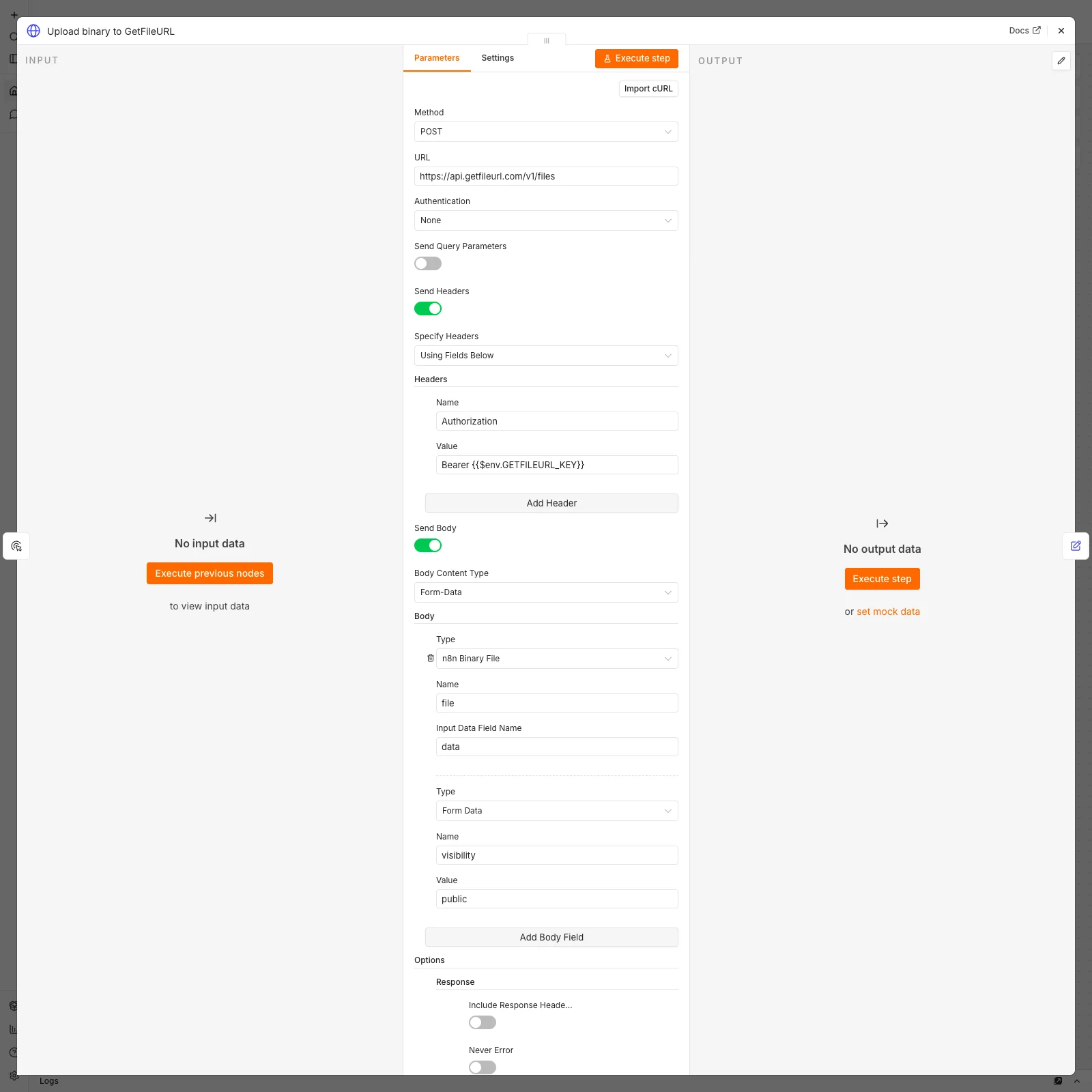
View the captured local n8n HTTP Request node setup for this recipe before connecting a live GetFileURL key.
Workflow blueprint
Import the GetFileURL n8n blueprint, replace the placeholder source, and map only `file_url` into the destination API field.
Test the recipe before connecting expensive AI or OCR steps.
A small validation pass prevents wasted runs. Confirm that the URL is reachable from a logged-out browser or server-side fetch, then connect the destination API.
Use a small sample file
Start with a small PDF or image so upload, parsing, and downstream fetch behavior are easy to inspect.
Log the response
Keep `url`, `file_id`, `content_type`, `size`, and `expires_at` visible in the execution data.
Delete after completion
When the destination confirms it fetched the file, call `DELETE /v1/files/:file_id` or rely on the selected expiry window.
Copy the same upload shape into code
Method: POST
URL: https://api.getfileurl.com/v1/files
Headers:
  Authorization: Bearer {{$env.GETFILEURL_KEY}}
Body Content Type: multipart-form-data
Body Parameters:
  Parameter Type: n8n Binary File
  Name: file
  Input Data Field Name: data or file
  visibility: public
Response Format: JSONCommon questions
What does this recipe solve?
It turns n8n binary data into a public URL by uploading `binary.data` or `binary.file` with Parameter Type `n8n Binary File`, Name `file`, and mapping the returned `url` into the next node.
Should the URL be permanent?
Not by default. Use the shortest retention window that gives the destination enough time to fetch the file.
What should I log?
Log the returned URL, file ID, content type, size, expiry, and destination response status.