Turn n8n binary files into public CDN URLs
To turn n8n binary data into a public URL, add an HTTP Request node, use Form-Data with Parameter Type `n8n Binary File`, send `binary.data` or `binary.file` as Name `file`, then map the returned `url` into the next node.
- Reviewed by
- GetFileURL technical team
- Updated
- Source
- n8n binary data
- Output
- url, file_id, content_type, expires_at
- Next step
- HTTP Request, OCR, AI, webhook
- HTTP node
- POST, multipart-form-data, binary property `data` or `file`
- Parameter Type
- n8n Binary File
- Name
- file
- Input Data Field Name
- `data` or `file`
- Blueprint
- /examples/n8n-binary-file-to-getfileurl.json
What this page answers
Add an n8n HTTP Request node, use Form-Data with Parameter Type n8n Binary File, set Name to file, set Input Data Field Name to data or file, parse GetFileURL's JSON response, and pass the returned url to the next node.
- Reviewed by
- GetFileURL technical team
- Last updated
The file handoff as a system, not a share link
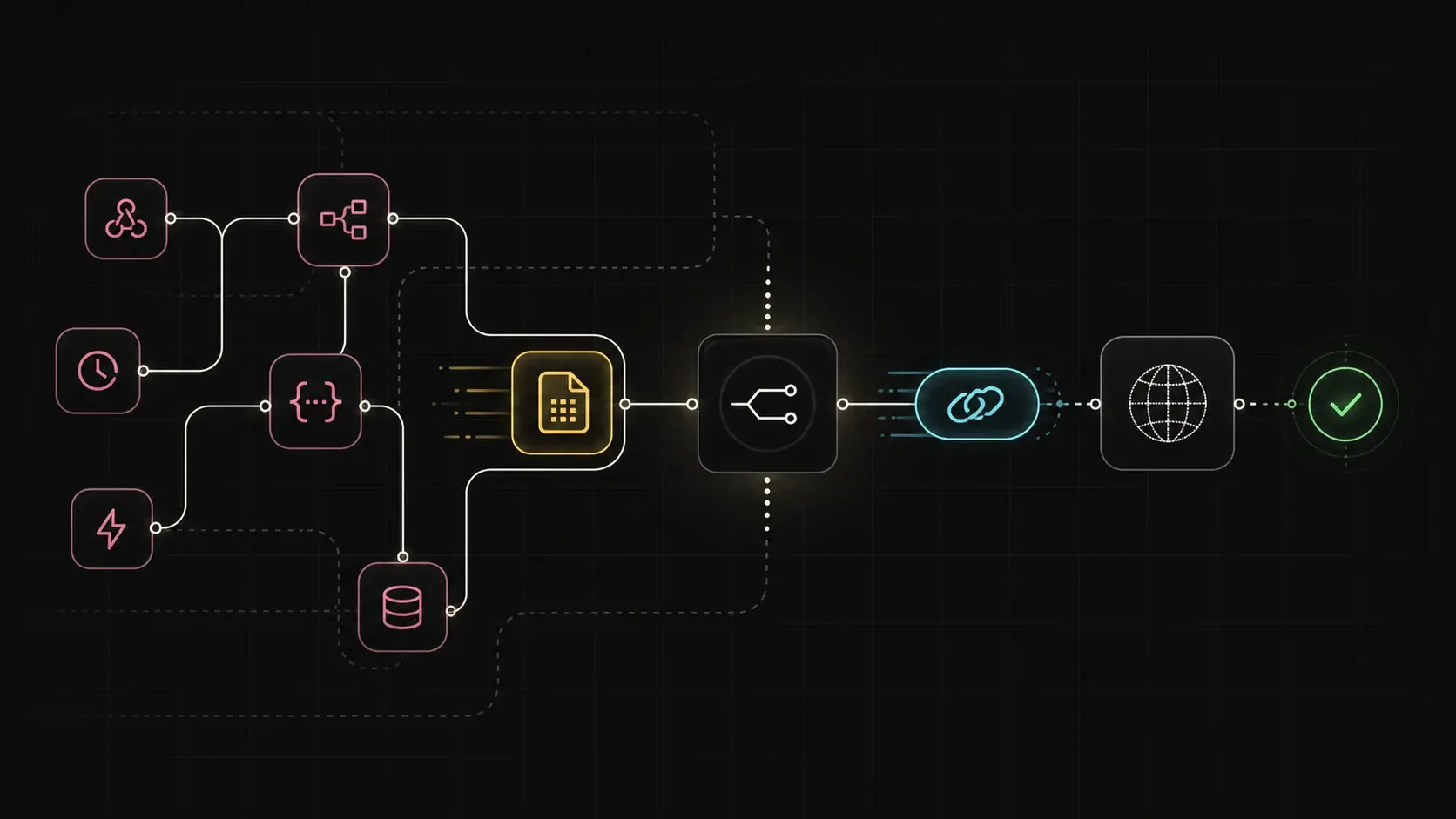
The n8n handoff is a binary property moving through an HTTP Request node, then becoming a URL field that OCR, AI, webhook, or API nodes can fetch.
n8n has the file. The next API needs a URL.
n8n keeps files as binary data between nodes. Many downstream APIs do not accept that object directly and ask for a public URL instead.
Upload the actual file
Send the file bytes or exported file to GetFileURL rather than passing a private platform object onward.
Map the URL field
Use the returned `url` as the value for the next API, webhook, OCR service, AI step, or publishing action.
Keep the cleanup handle
Store `file_id` when the workflow should delete public access after the downstream step finishes.
Add one relay step and leave the workflow shape alone.
Use an HTTP Request node, choose Form-Data, set Parameter Type to n8n Binary File, set Name to `file`, set Input Data Field Name to the incoming binary property such as `data` or `file`, parse the JSON response, and map `url` into the next API node.
Multipart upload
Use multipart form data for files already present in the workflow runtime.
Retention window
Use returned expiry metadata that survives queue delays and retries without creating permanent public storage by default.
Structured response
Map `url`, `content_type`, `size`, and `expires_at` into logs or later workflow steps.
When the next step fails, inspect the URL it received.
Check the binary property name, multipart field name, returned JSON field, content type, and expiry before blaming the destination API.
Exact field
Confirm the destination receives `response.url`, not the whole upload response or a source app attachment.
No preview pages
The URL should resolve to file bytes, not an HTML page, redirect chain, or permission screen.
Expiry timing
Keep the URL alive through delayed branches, retries, and async destination fetches.
Configure the HTTP Request node for binary upload.
In n8n, the most important setup detail is matching the HTTP Request node labels to the incoming binary property. The upload request should send the actual binary file as multipart form data, then later nodes should read the returned `url` from JSON.
Method and URL
Use `POST https://api.getfileurl.com/v1/files` in the HTTP Request node and authenticate with `Authorization: Bearer {{$env.GETFILEURL_KEY}}`.
Binary file field
Set Body Content Type to Form-Data, Parameter Type to `n8n Binary File`, Name to `file`, and Input Data Field Name to the previous node's binary property, usually `data` or `file`.
Returned JSON
Read `url` for the next node, keep `file_id` for cleanup, and log `content_type`, `size`, and `expires_at` for debugging.
Real node setup screenshot
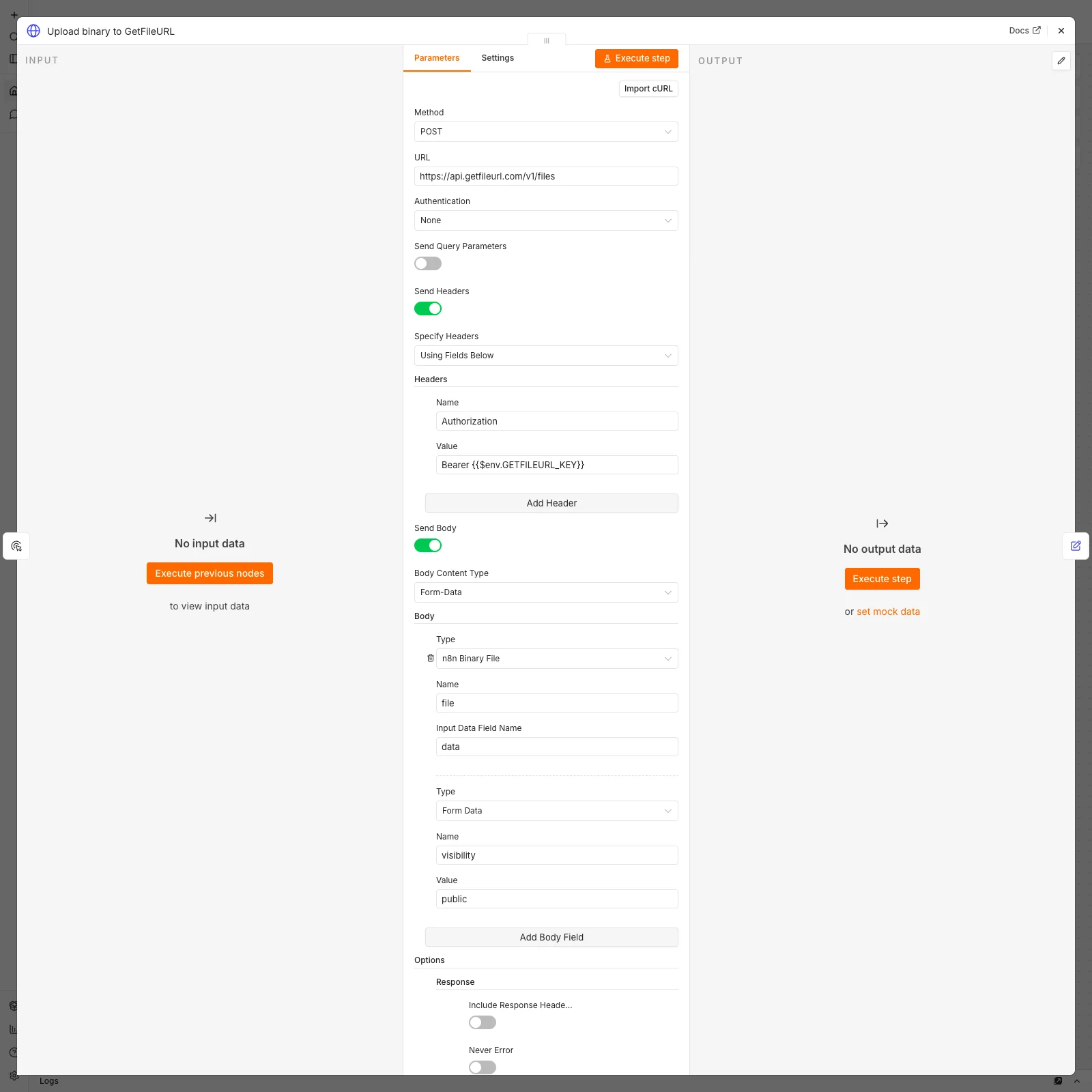
View the captured local n8n HTTP Request node setup that imports this blueprint and shows the multipart binary field mapping.
Importable blueprint
Download the GetFileURL n8n workflow JSON blueprint, replace the source node with your binary-producing node, and keep the API key in n8n environment variables.
Use the returned URL as the workflow contract.
Treat GetFileURL as the conversion step between n8n binary data and URL-consuming APIs. The next node should receive a direct URL, not the original binary object or full upload response.
Input
Previous node output contains binary data, for example `binary.data` from an email attachment, form upload, Drive download, PDF generator, or screenshot step.
Conversion
HTTP Request uploads `binary.data` or `binary.file` to GetFileURL and receives JSON with `url`, `file_id`, `content_type`, `size`, and `expires_at`.
Next node
Map only the returned `url` into the field that asks for a file URL, image URL, PDF URL, or attachment URL.
When n8n succeeds but the destination fails, inspect the URL.
Many n8n workflows show a green upload node while the next API still fails. That usually means the destination received the wrong value, an expired URL, or a URL that returns HTML instead of file bytes.
Check the mapped field
Confirm the next node receives `{{$json.url}}`, not the full JSON object, binary metadata, or an app attachment URL.
Check the multipart names
The source binary property can be `data` or `file`, but the HTTP Request Name field sent to GetFileURL should be `file`.
Check content type
OCR and document APIs often reject files when the URL serves an unexpected MIME type or a preview page.
Check retry timing
If the workflow retries or waits, compare the returned `expires_at` with when the destination will fetch the file.
Copy the same upload shape into code
Method: POST
URL: https://api.getfileurl.com/v1/files
Headers:
  Authorization: Bearer {{$env.GETFILEURL_KEY}}
Body Content Type: multipart-form-data
Body Parameters:
  Parameter Type: n8n Binary File
  Name: file
  Input Data Field Name: data or file
  visibility: public
Response Format: JSONCommon questions
How do I convert n8n binary data to a file URL?
Add an n8n HTTP Request node, use Form-Data with Parameter Type `n8n Binary File`, set Name to `file`, set Input Data Field Name to `data` or `file`, parse GetFileURL's JSON response, and pass the returned `url` to the next node.
Why not pass the original n8n file link?
Original platform links can be private, temporary, or redirecting. External APIs usually need a URL that returns the file bytes directly.
What should I store from the response?
Store `url` for the next API call, `file_id` or `delete_url` for cleanup, and `expires_at` so delayed workflow branches know when the URL stops working.